FAQ

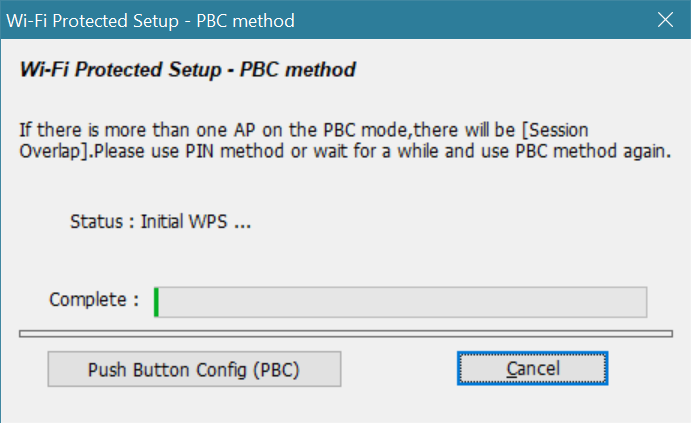
1.Since the AC1300 WiFi adapter is plug-and-play, there's no need to install software for it. However, once you install the Realtek USB Wireless LAN Utility, it will get stuck here.
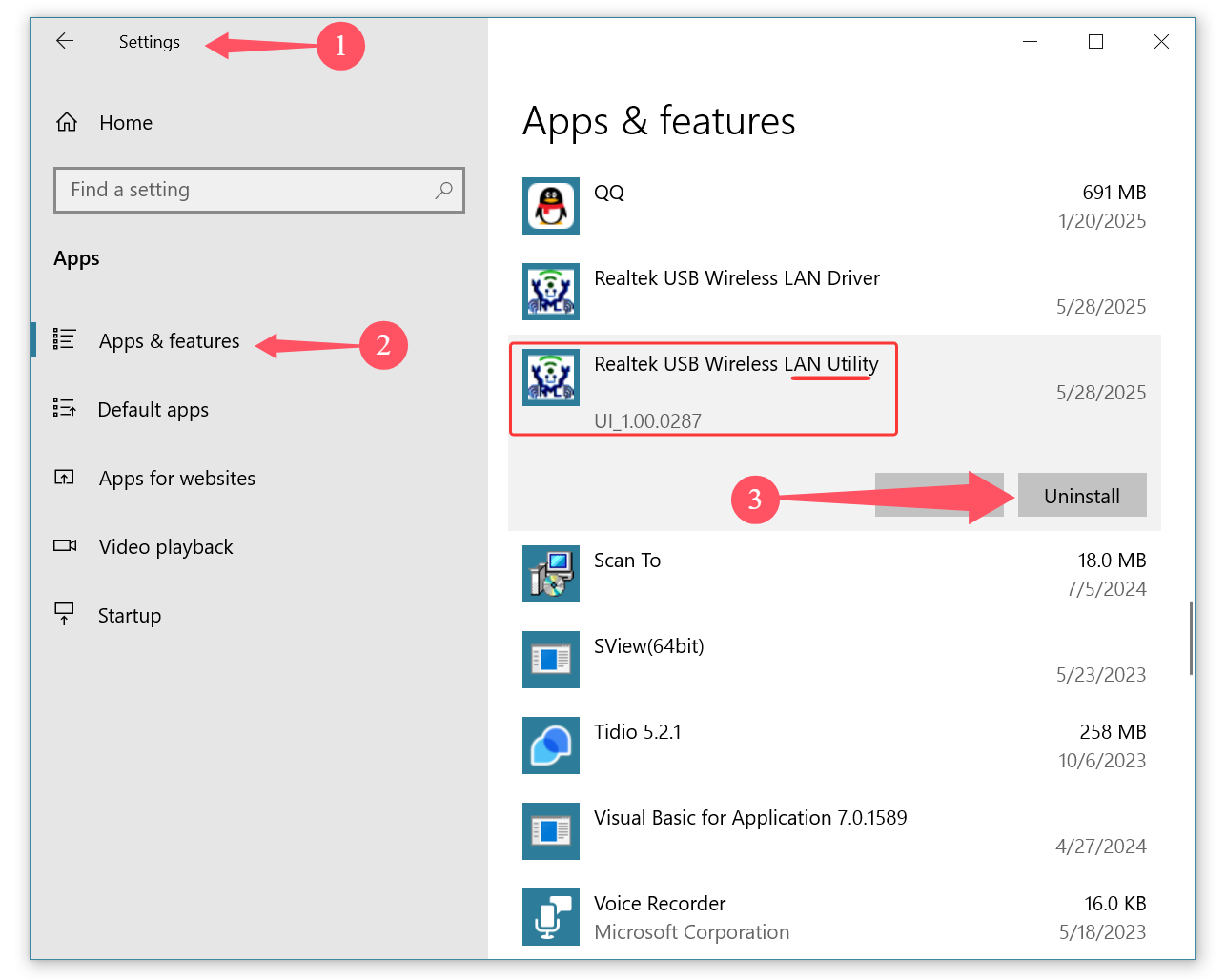
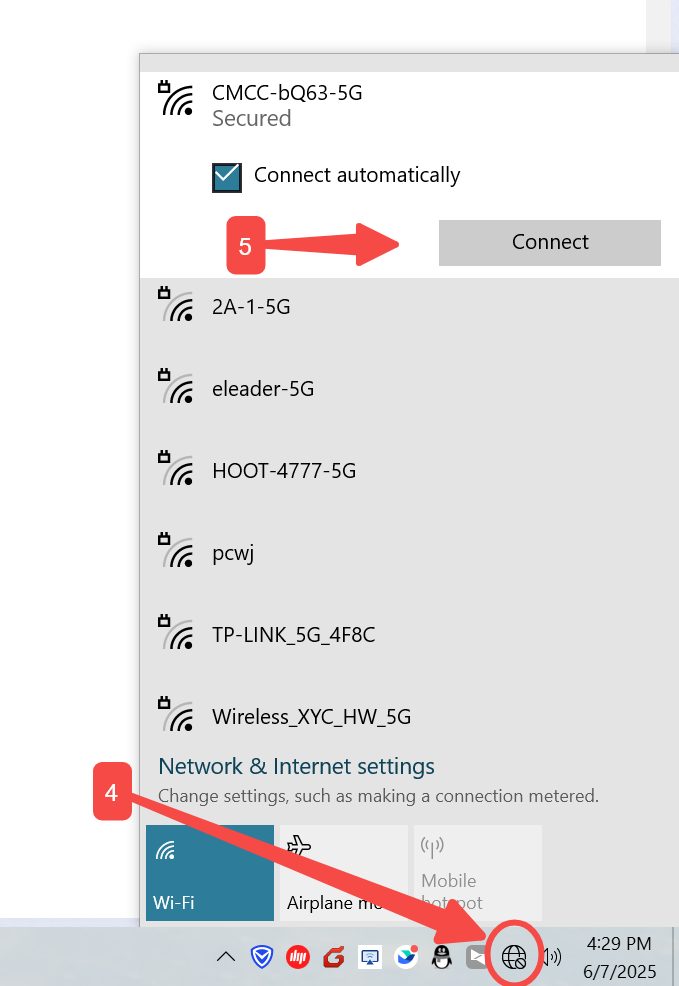
2.So, all you need to do is uninstall the【Realtek USB Wireless LAN Utility】from Windows APPS. Then click the WiFi icon, select your network from the pop-up network list, click "Connect", enter your WiFi password, click "Next", and you'll be able to surf the internet
Then restart computer is ok
Email:onebigvip@qq.com
Phone/Text/whatsApp:+1(832)715-3986 (SANA)
Phone/Text/whatsApp:+1(281)914-9993 (JOHN)
Phone:+1-888-991-1996(Toll Free)
Online chat: www.ninepluswifi.com