FAQ

First please download 2026 driver from our website:
https://www.ninepluswifi.com/20260109.zip
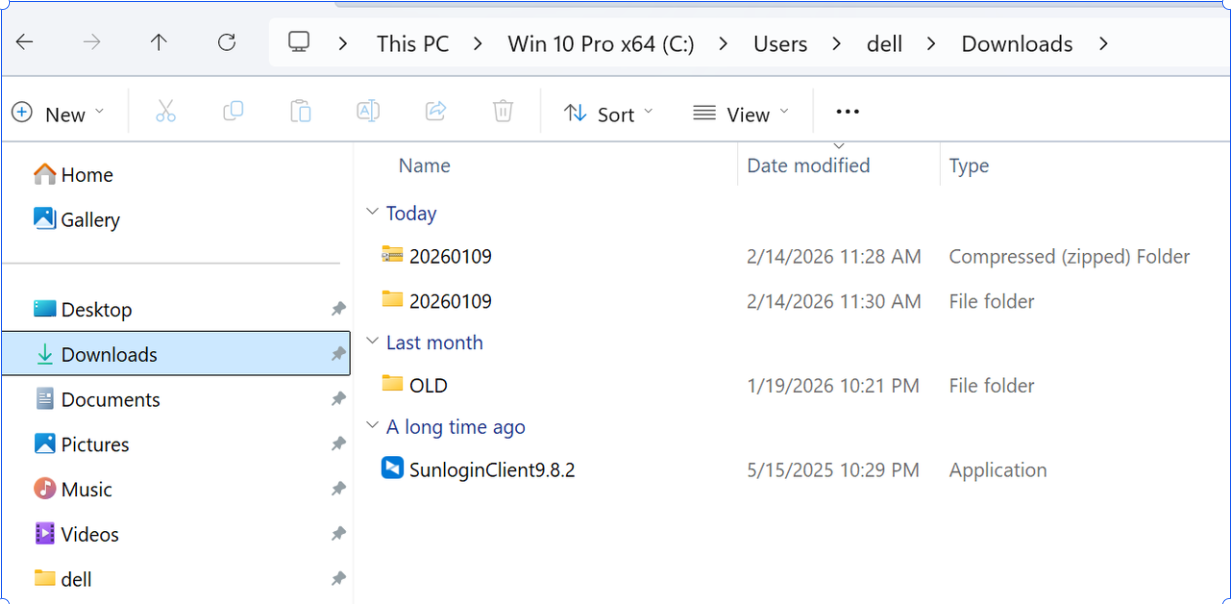
After downloading , the driver folder is zip folder. Please right-click it ,select extract all and finish the extact.
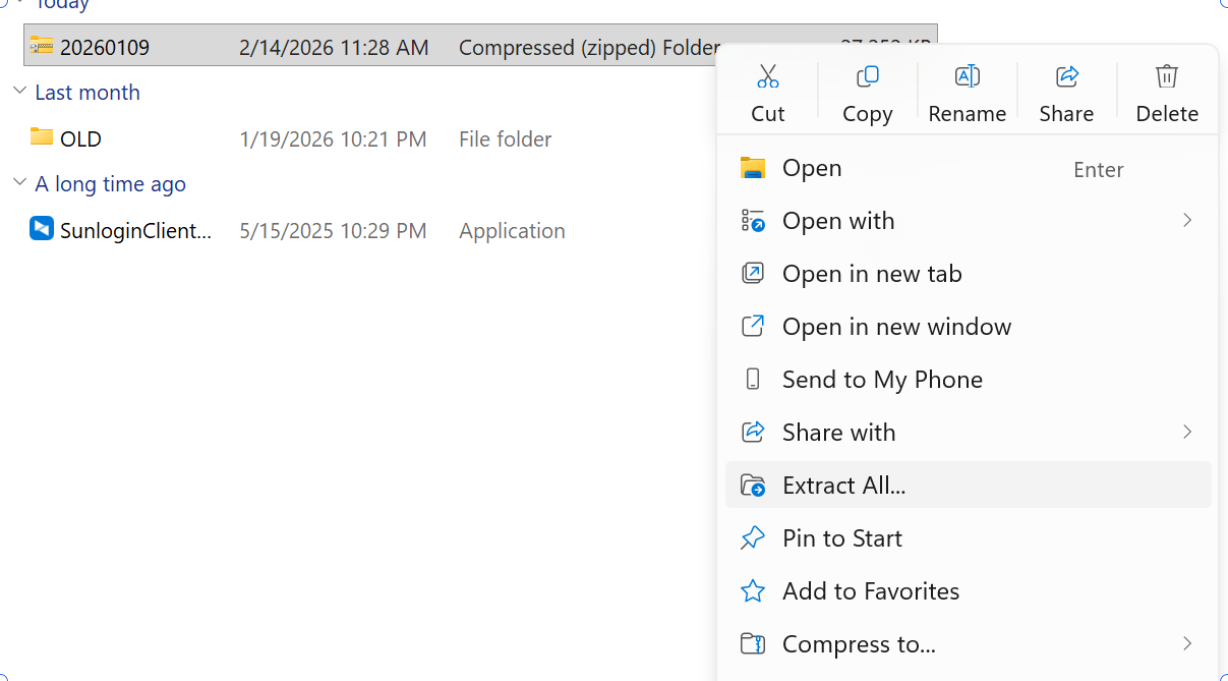
Remember the driver folder location. We will use it later
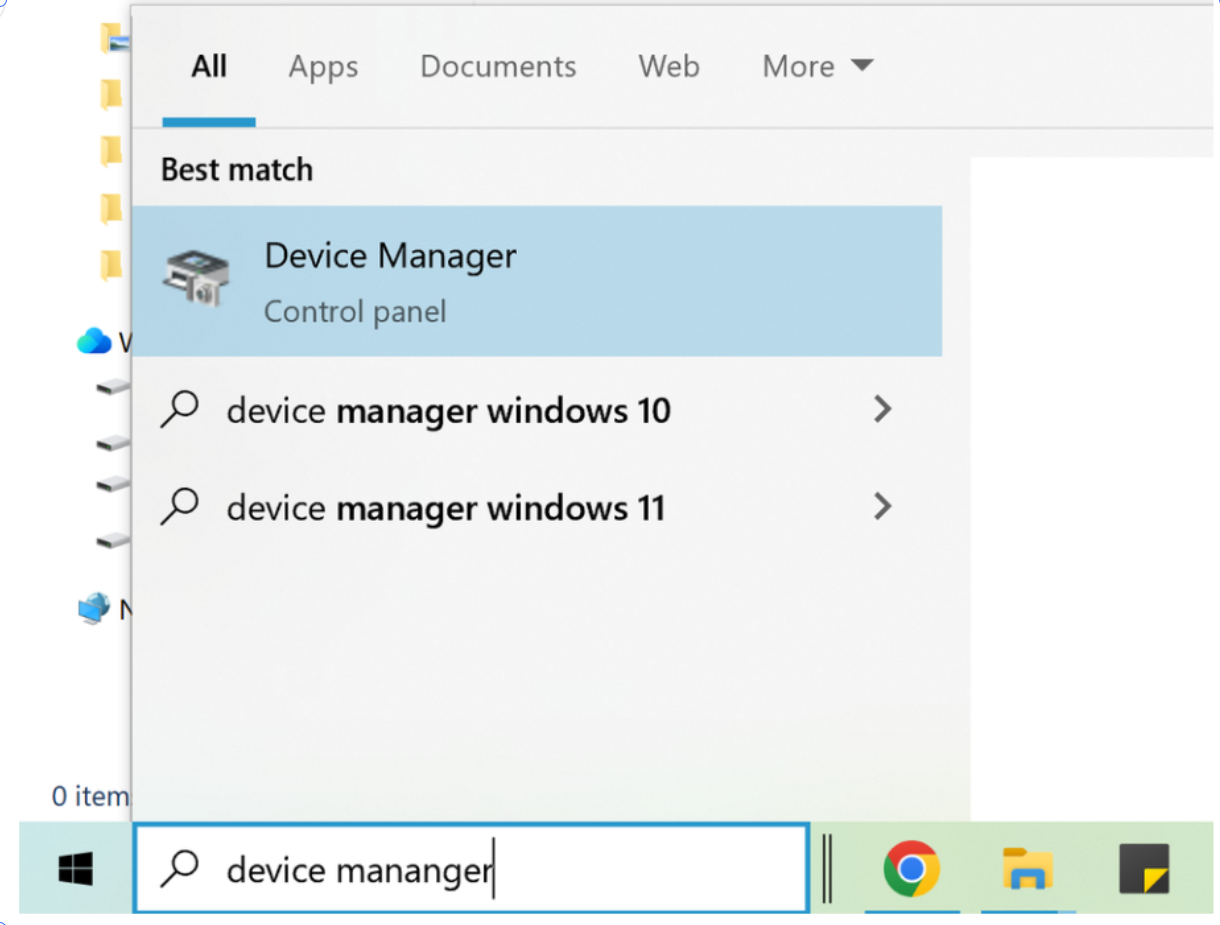
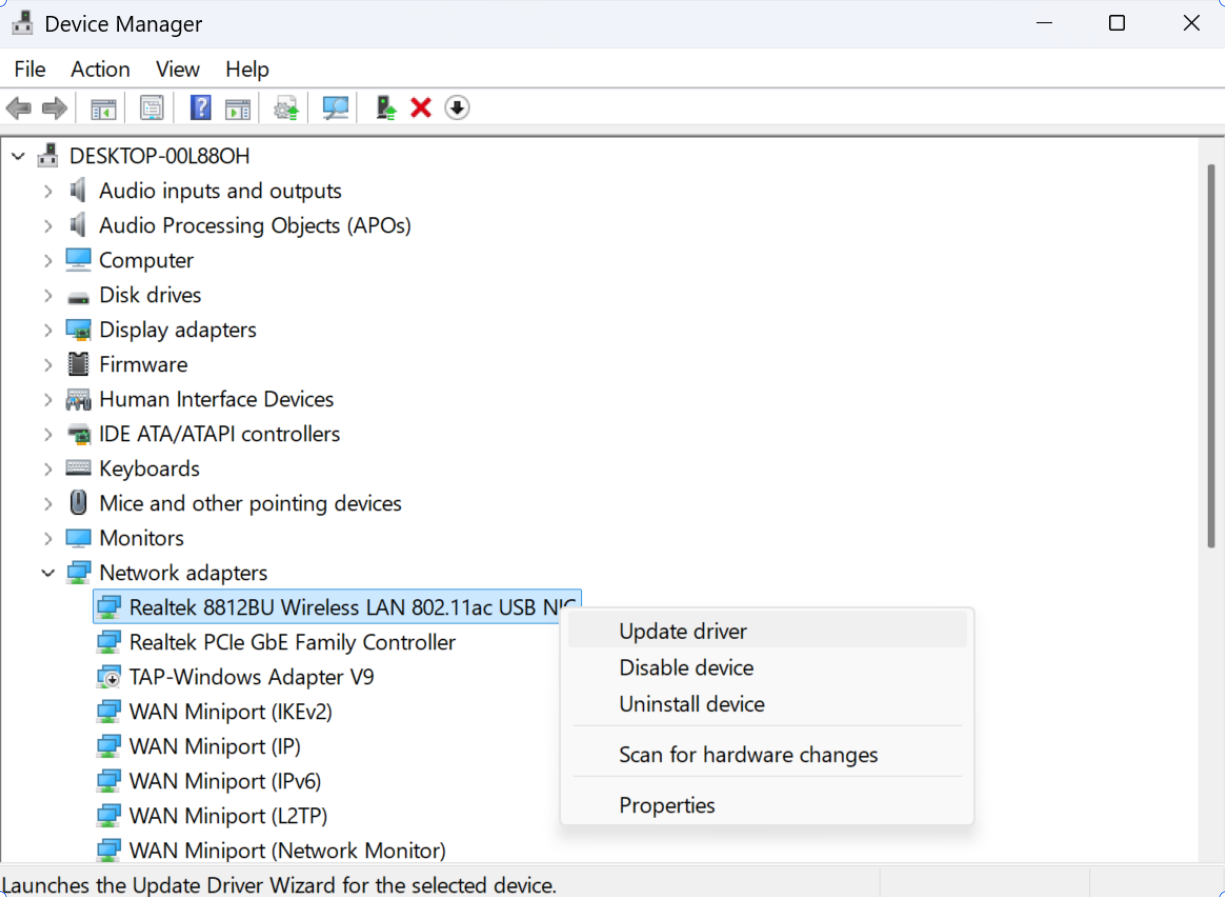
Then search device manager from search bar. And click it,
then go to network adapter and expand it
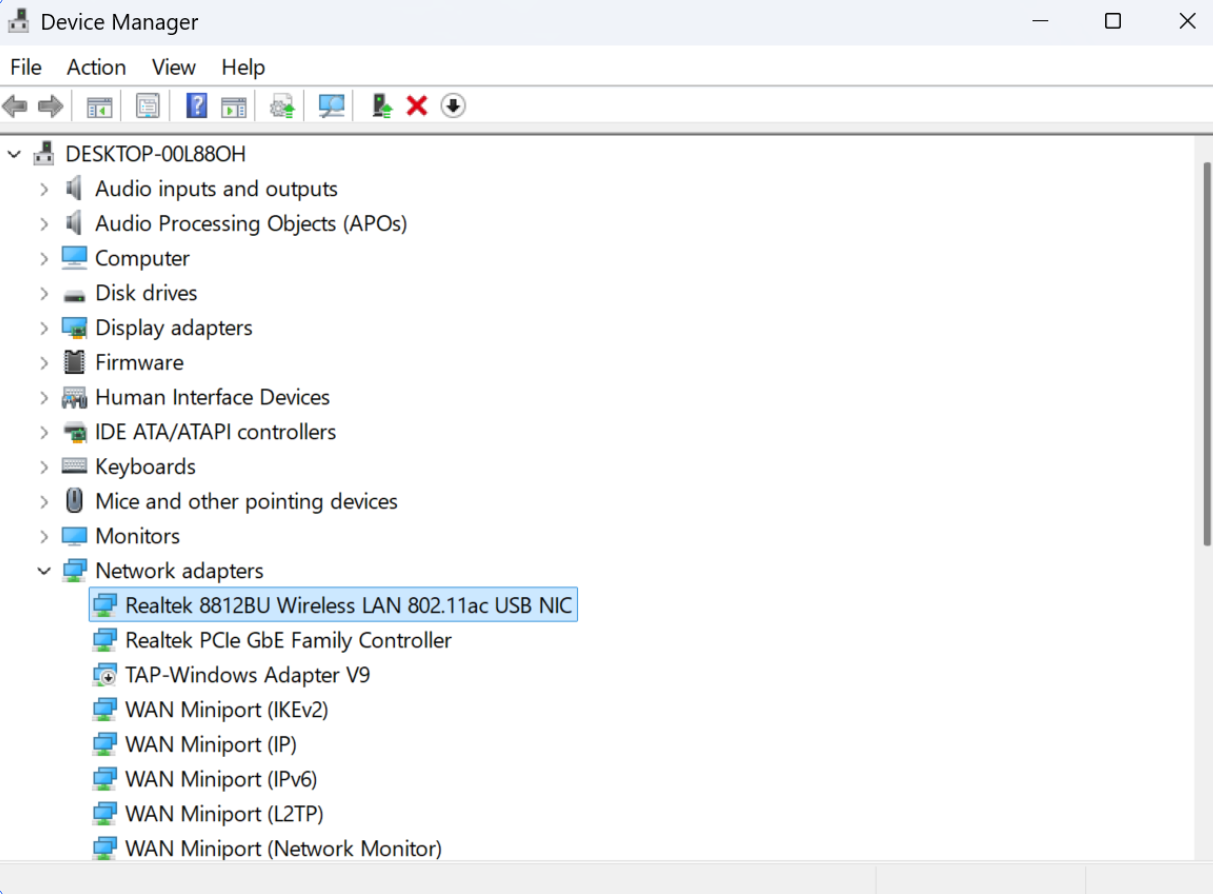
Right click on Realtek 8812BU Wireless LAN 802.11ac USB NIC and select Update driver
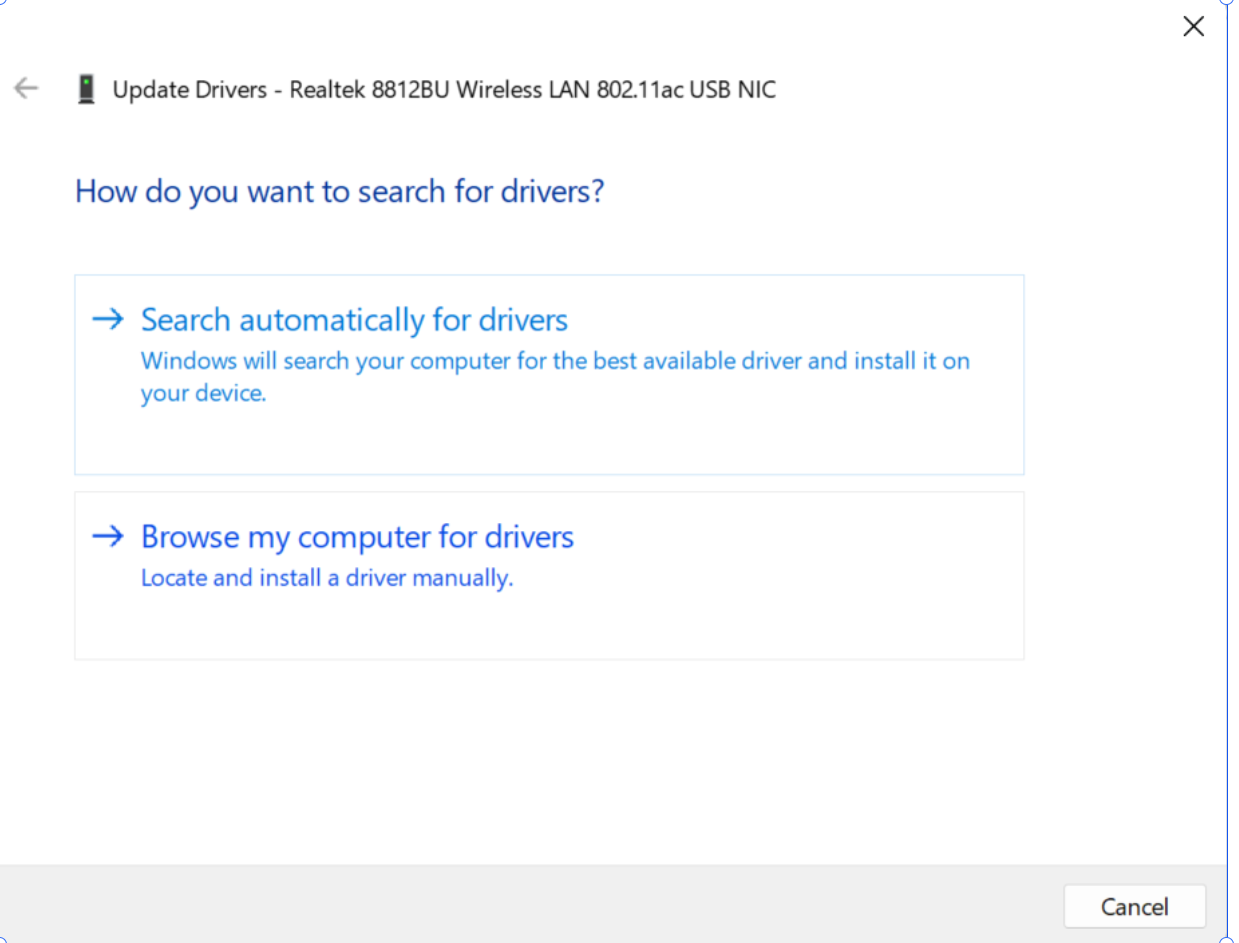
Select Browse my computer for drivers
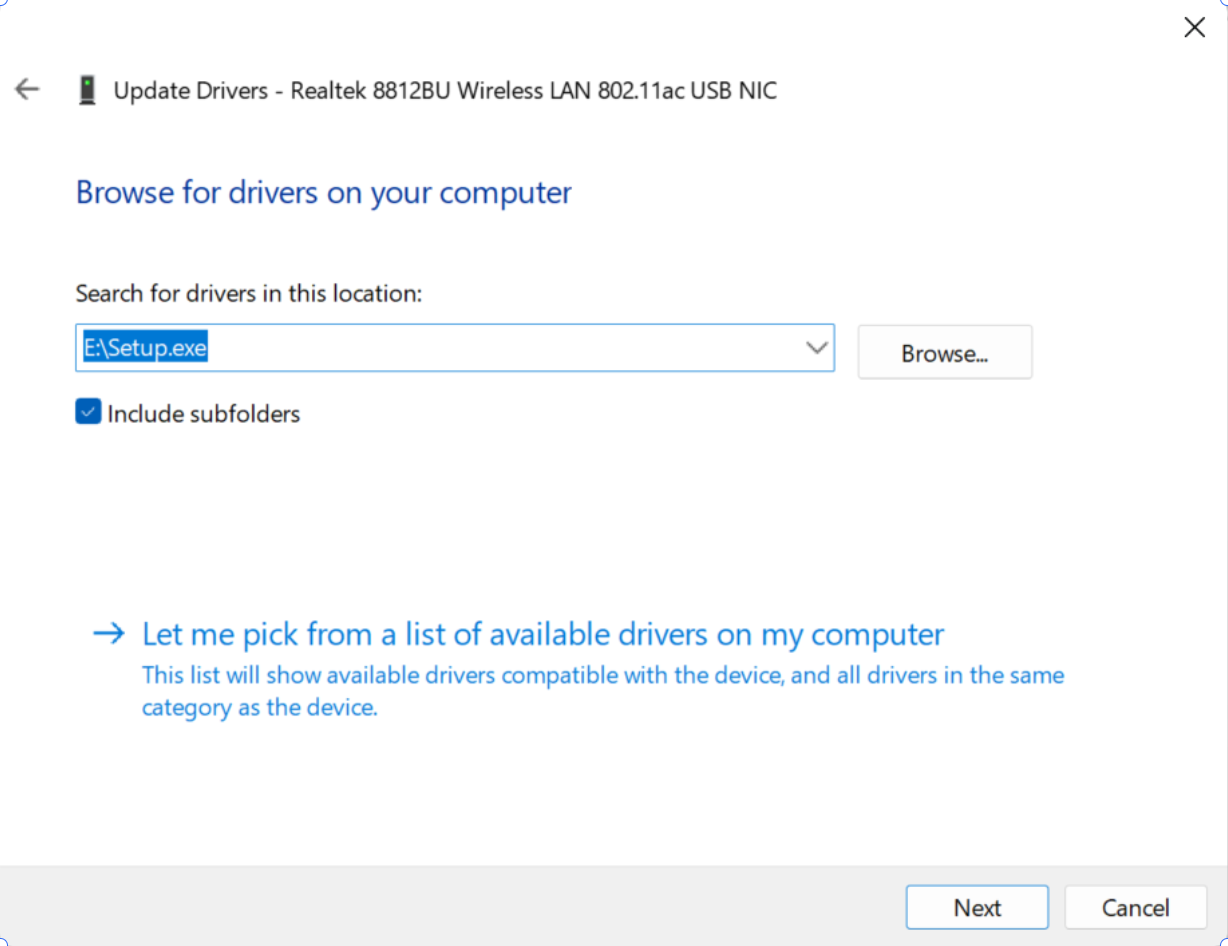
Select Let me pick up from a list of available drivers on my computer
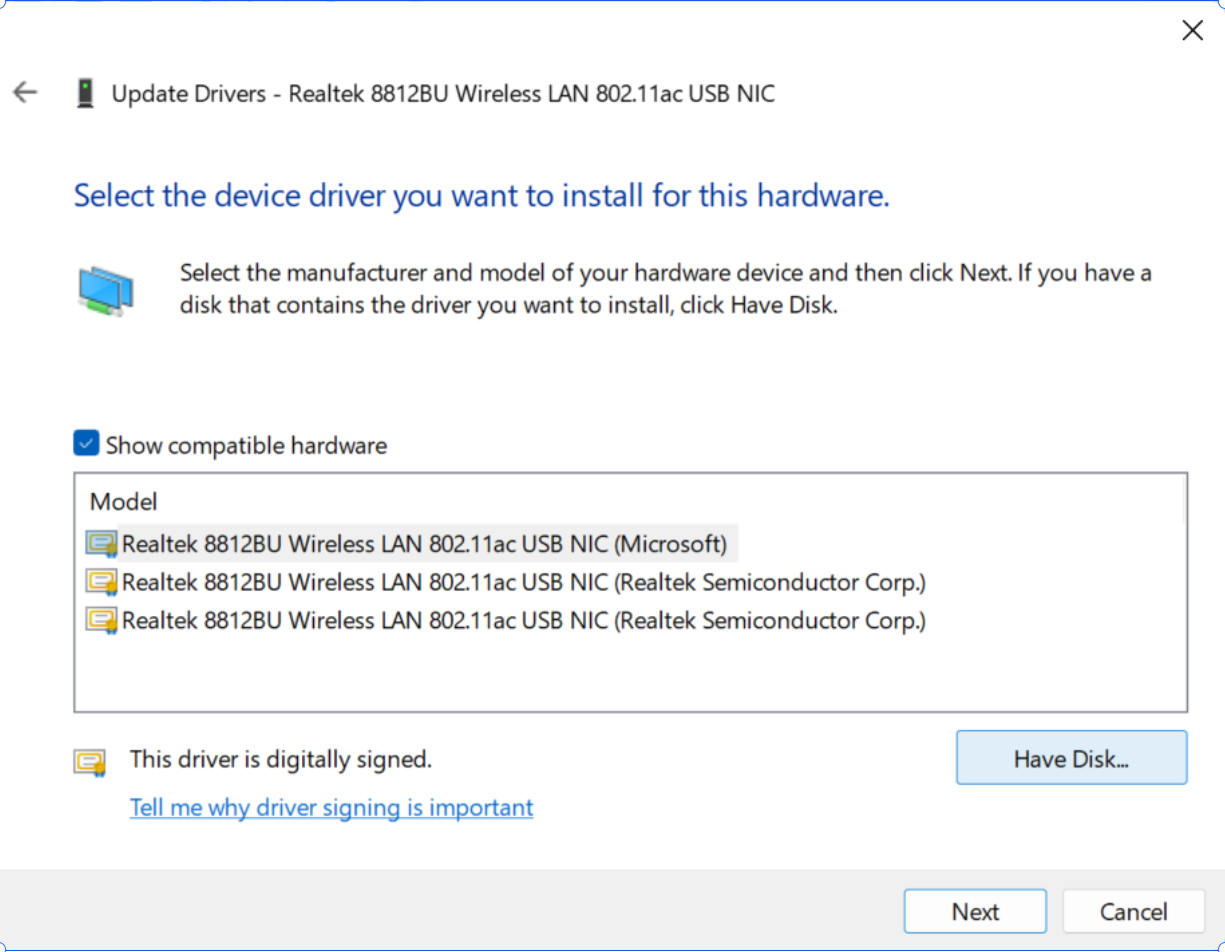
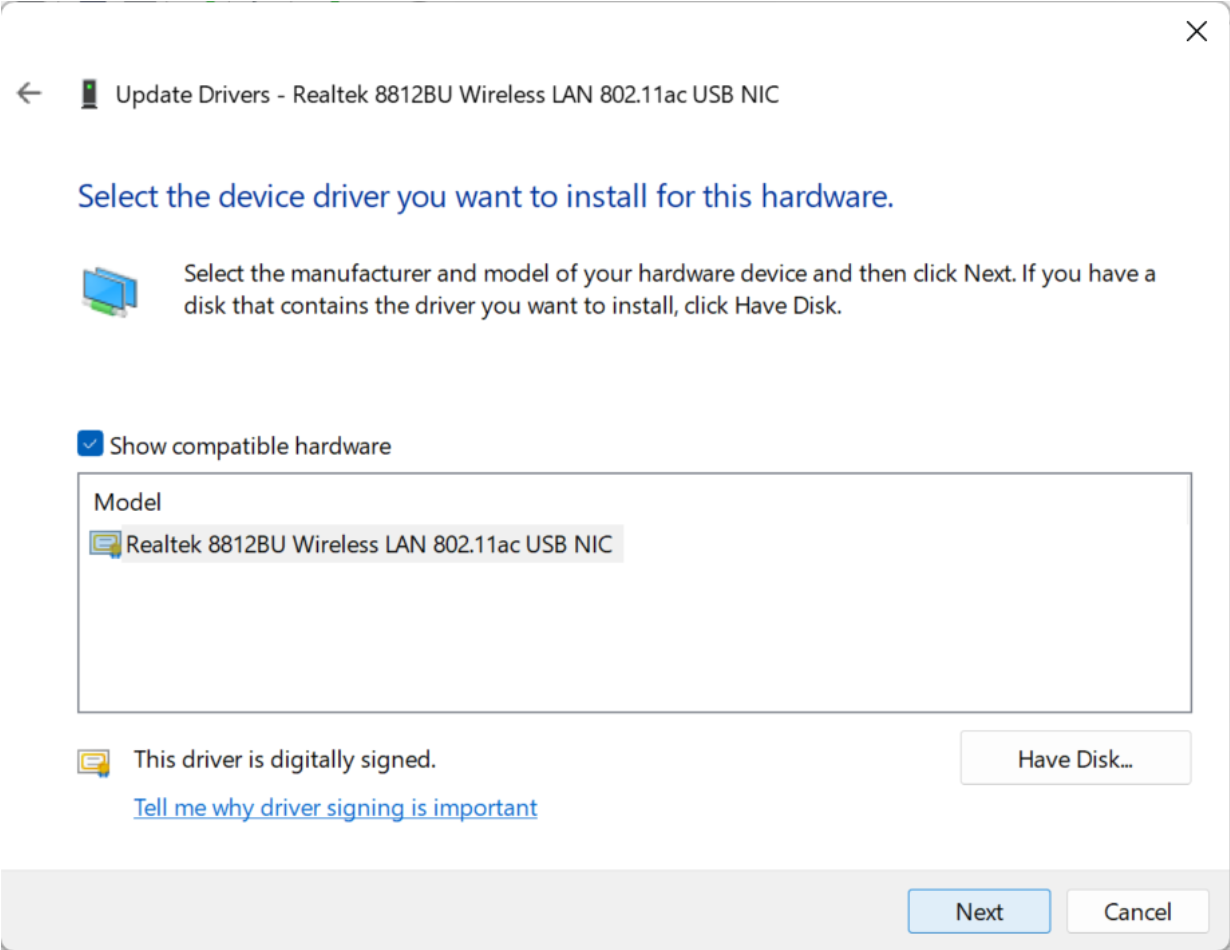
Select Have Disk
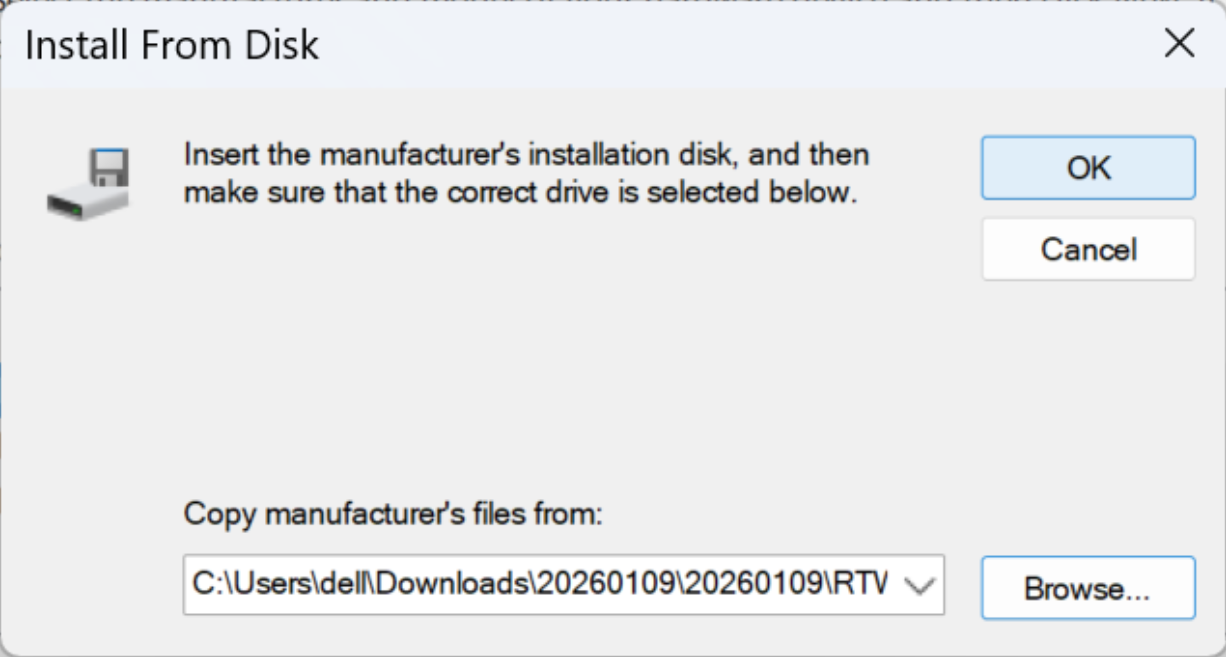
Select Browse
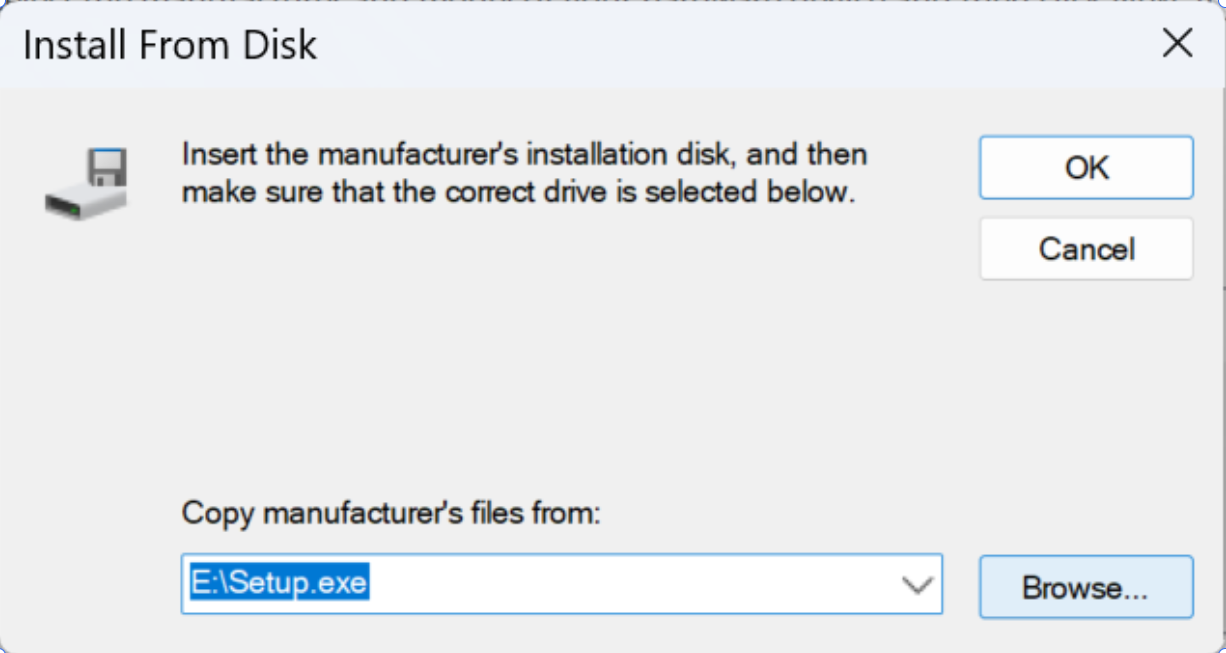
Find your driver folder location (default at download ) and select 20260109
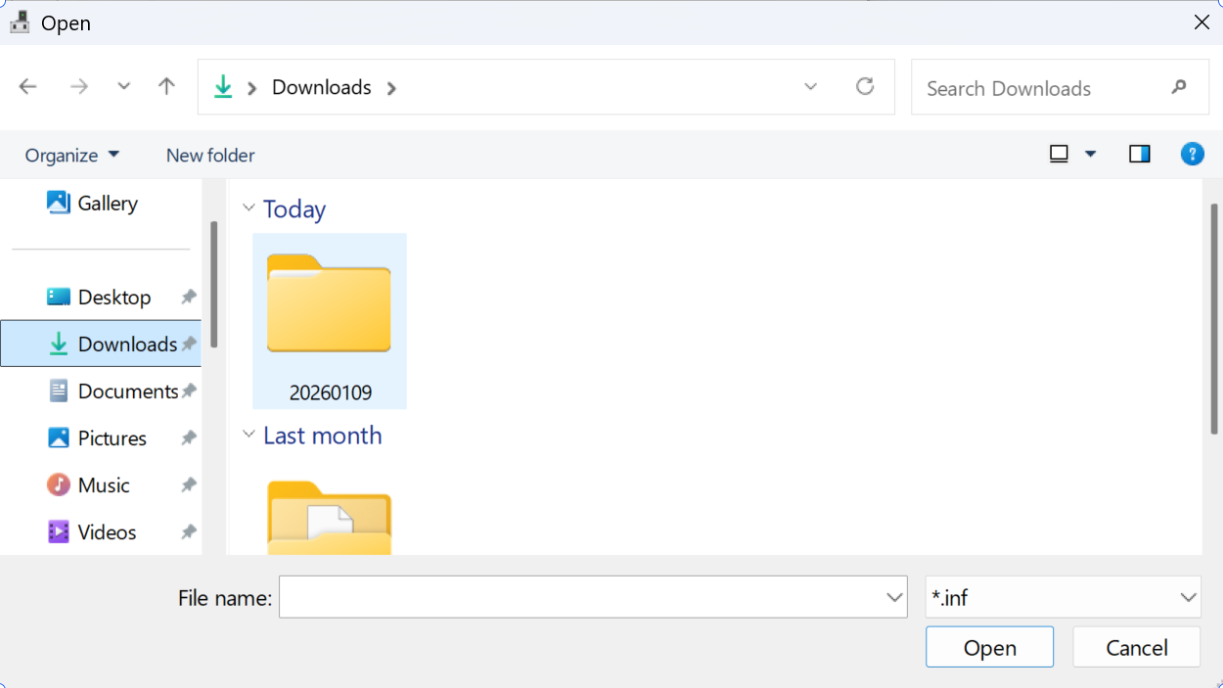
Select RTWLANU_Driver
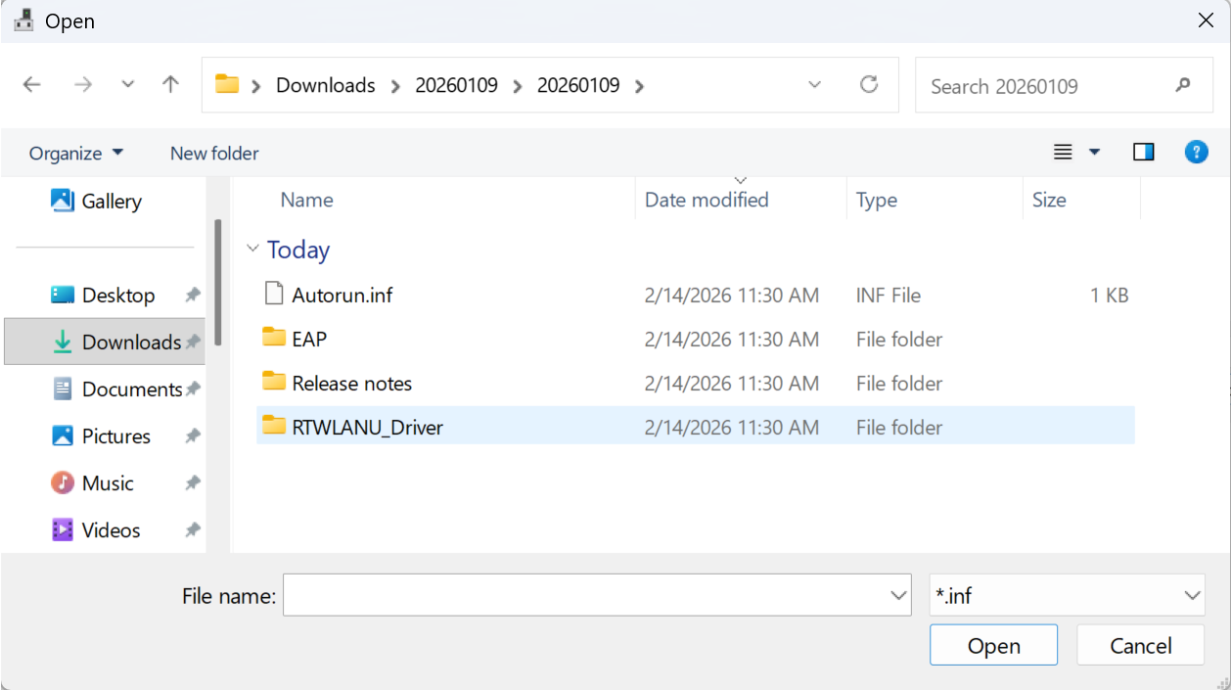
Select Win10x64 (Windows11 also select win10x64)
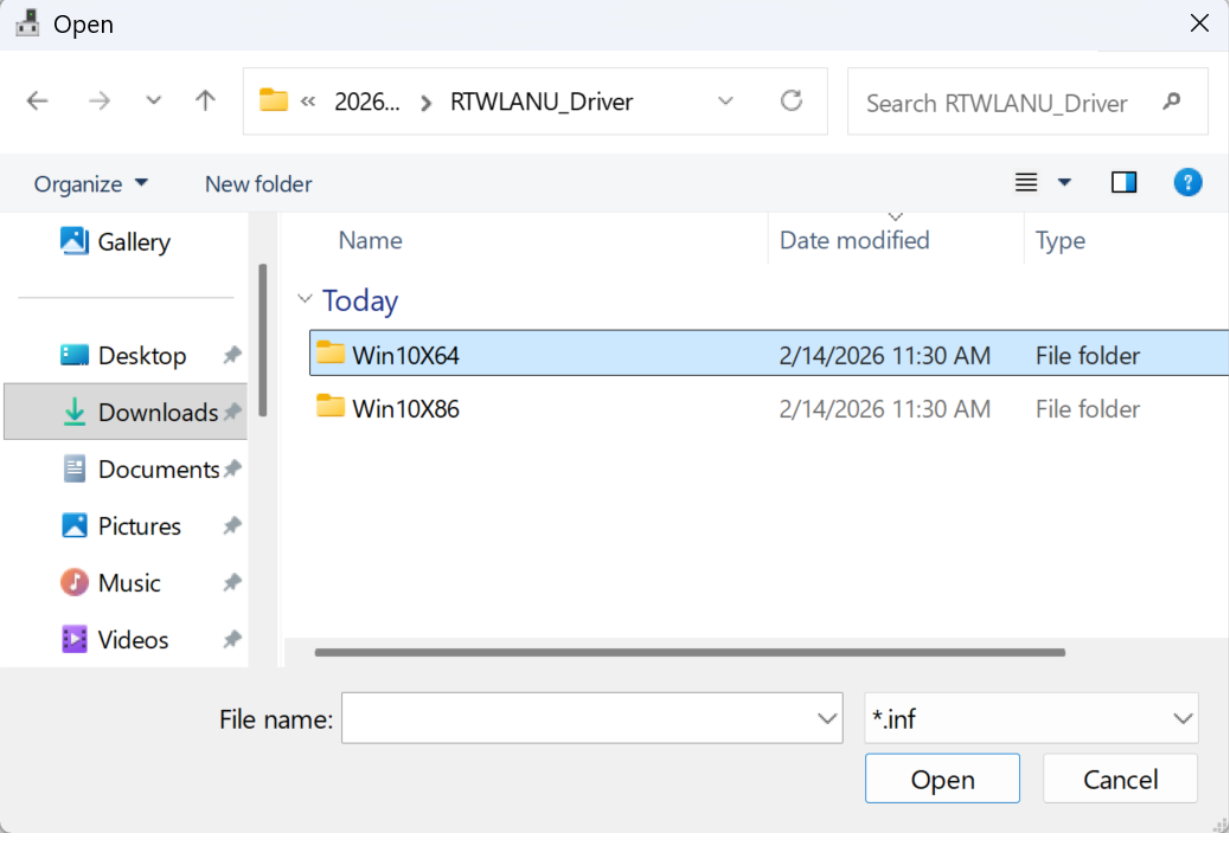
Select netrtwlanu.inf
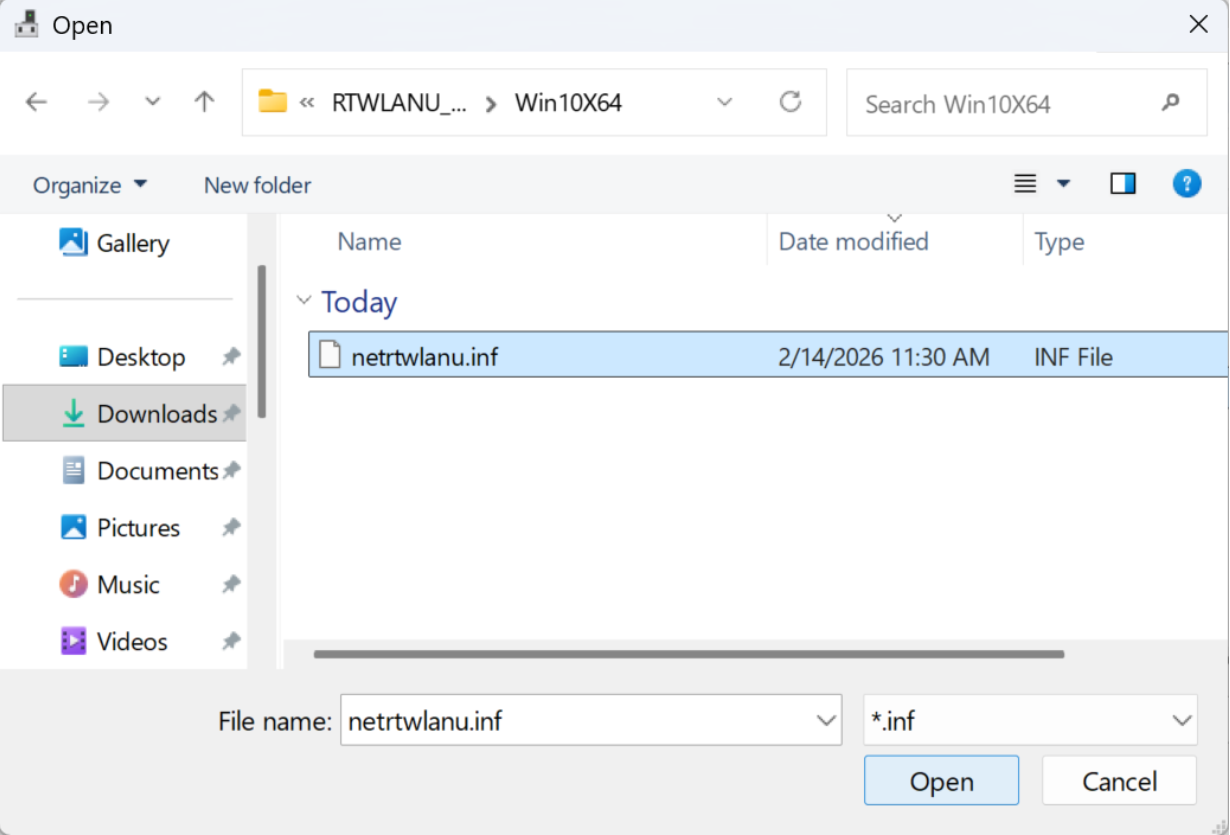
Select ok
Select Next
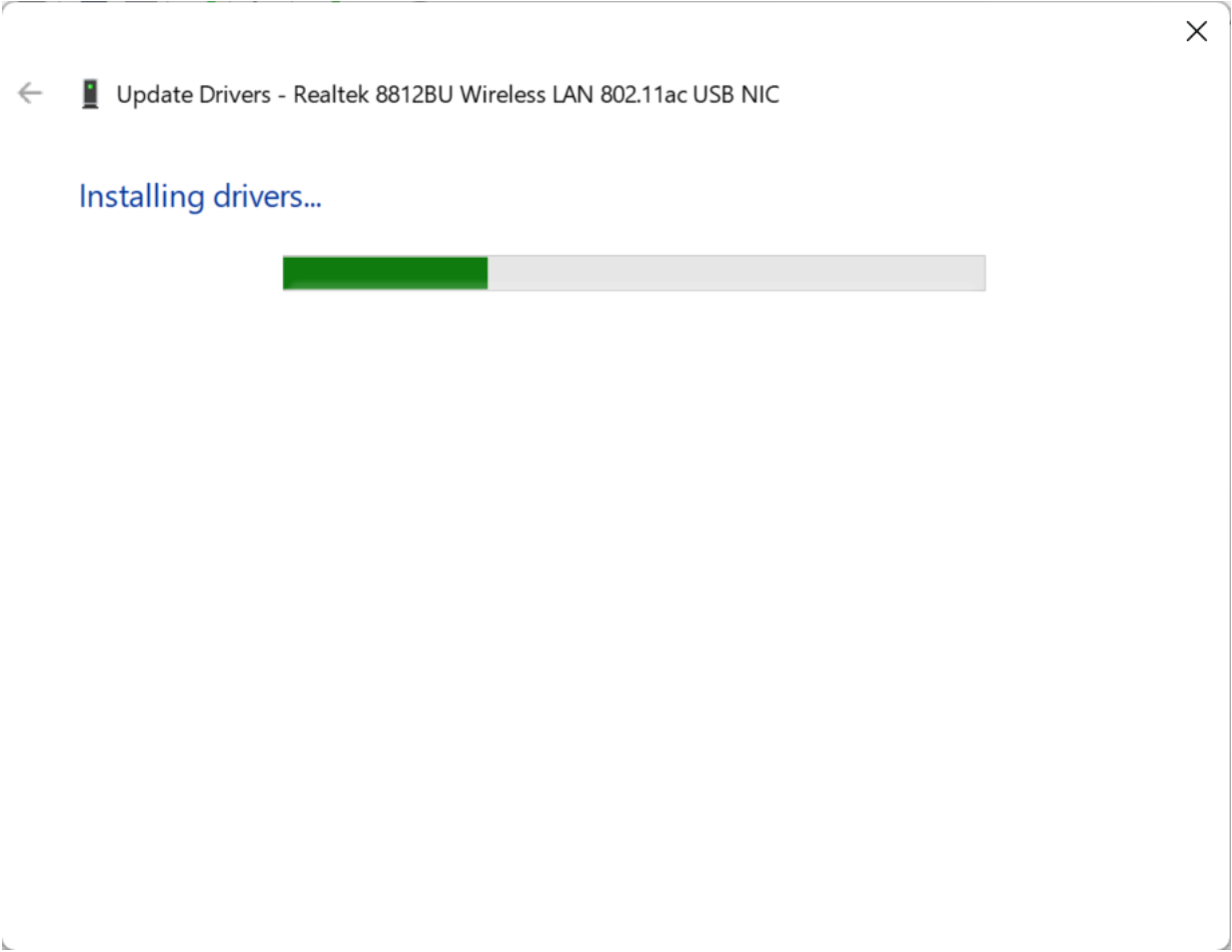
The latest driver is installing
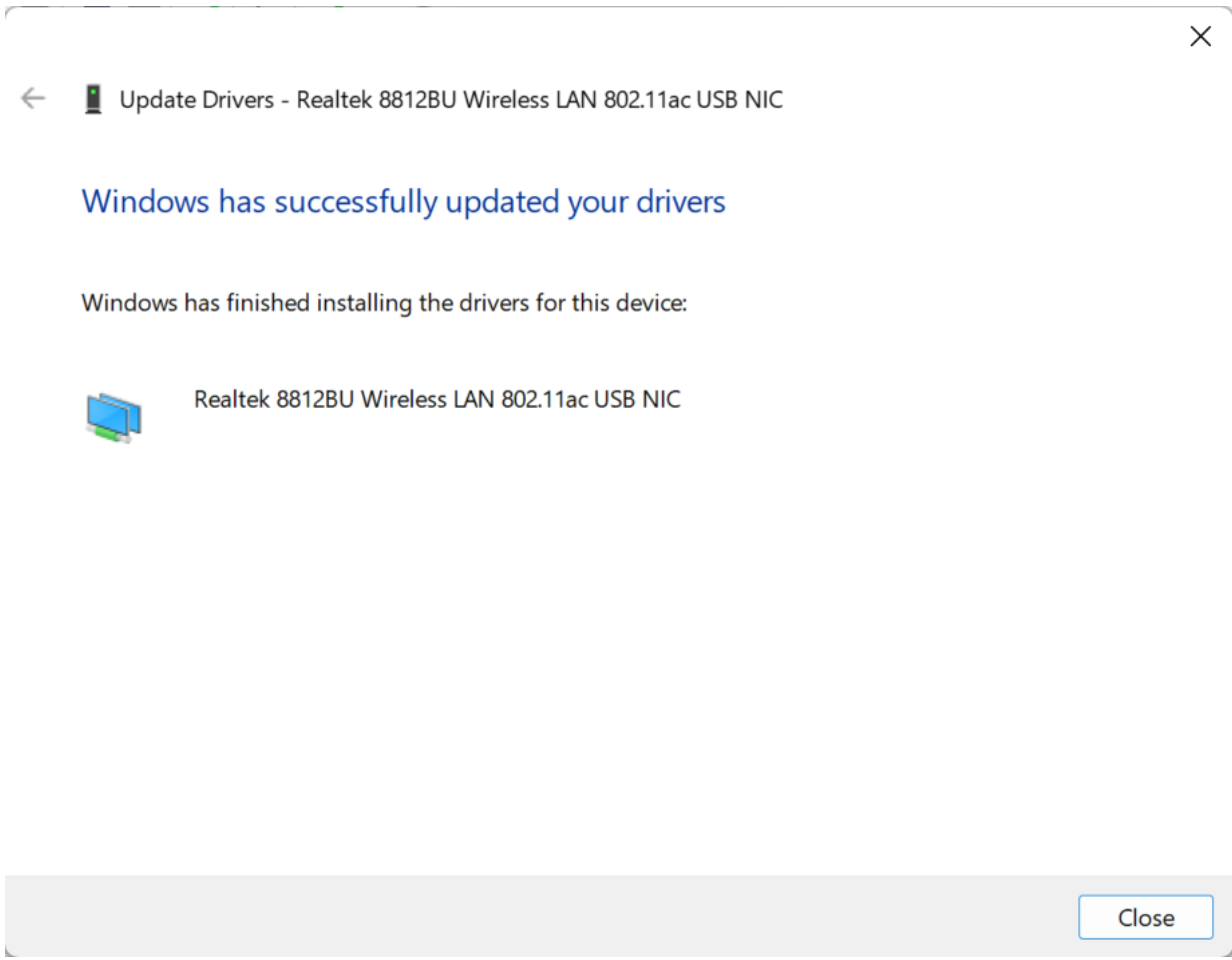
It will show windows has successfully updated your drivers
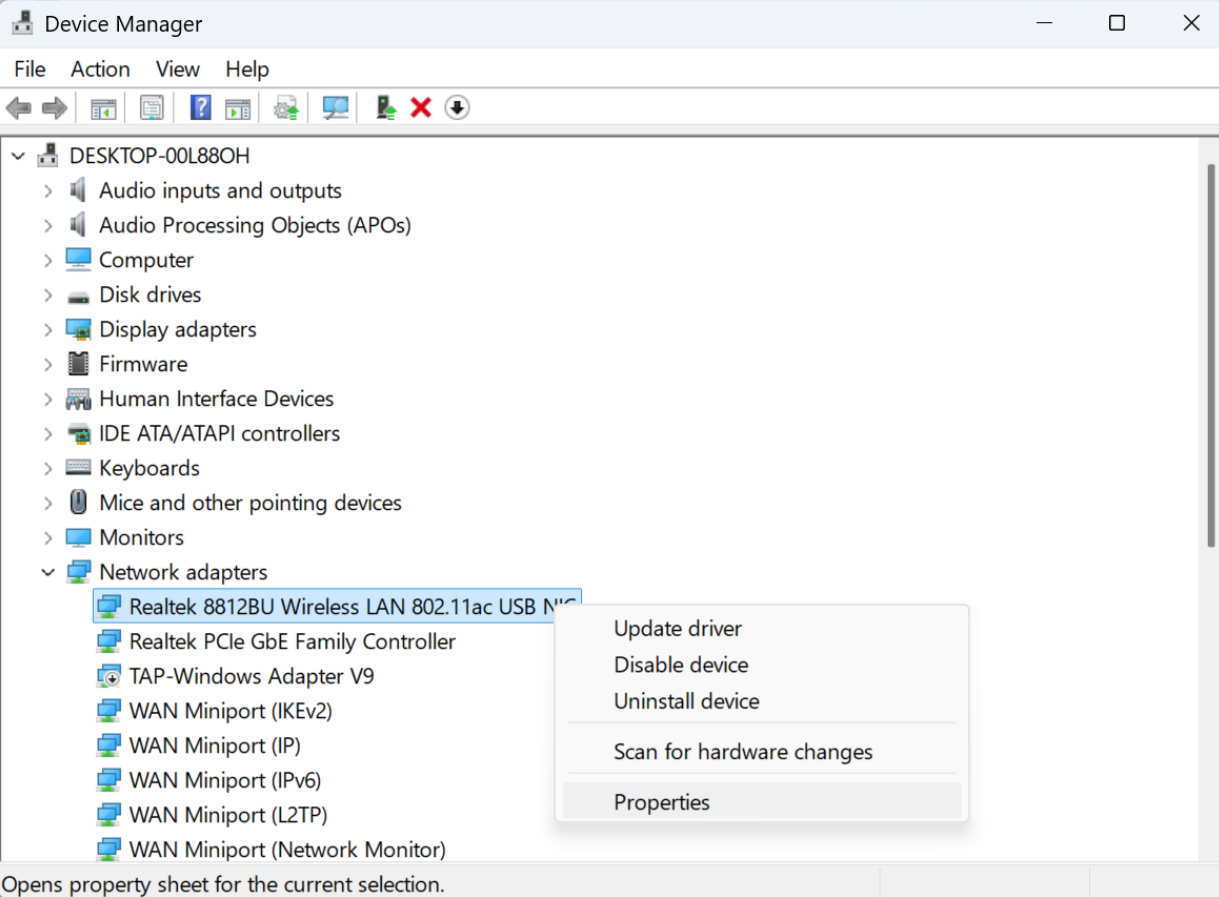
Go device manager and right click on it and select Properties to check the driver's date again,
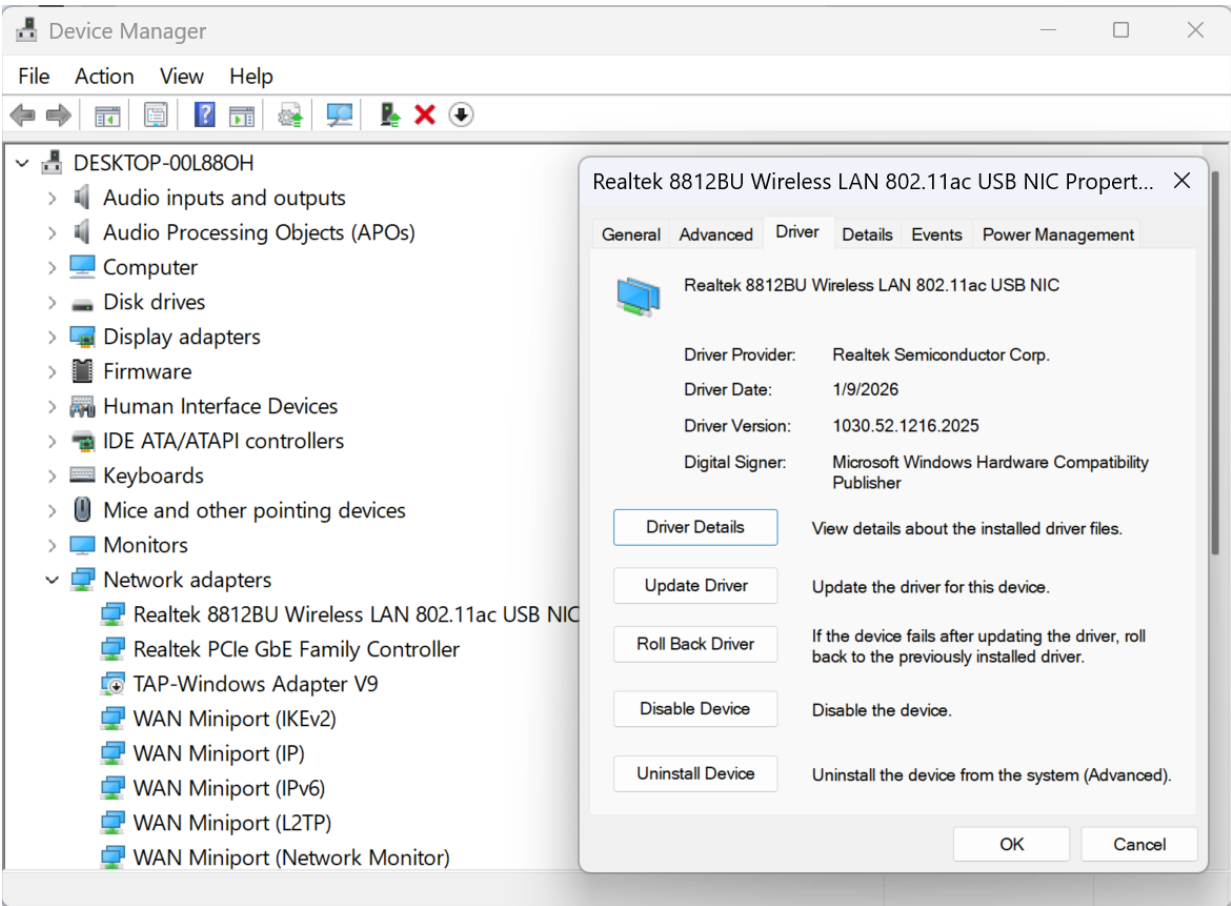
Go to Driver tap and you will see it is 1/9/2026
Customer Support


whatsApp Instagram
Email:onebigvip@qq.com
Phone/Text/whatsApp:+1(832)715-3986 (John)
Phone/Text/whatsApp:+1(408)457-4464 (Ayman)
Phone/Text/whatsApp:+1(281)914-9993 (Zihan)
Phone:+1-888-991-1996(Toll Free)
Online chat: www.ninepluswifi.com