Online Setup


Note:.Active your warranty: Get 365days Free Replacement Services (Seller:nineplus99)
-------------------------------------------Installation Video tutorial---------------------------------------------------
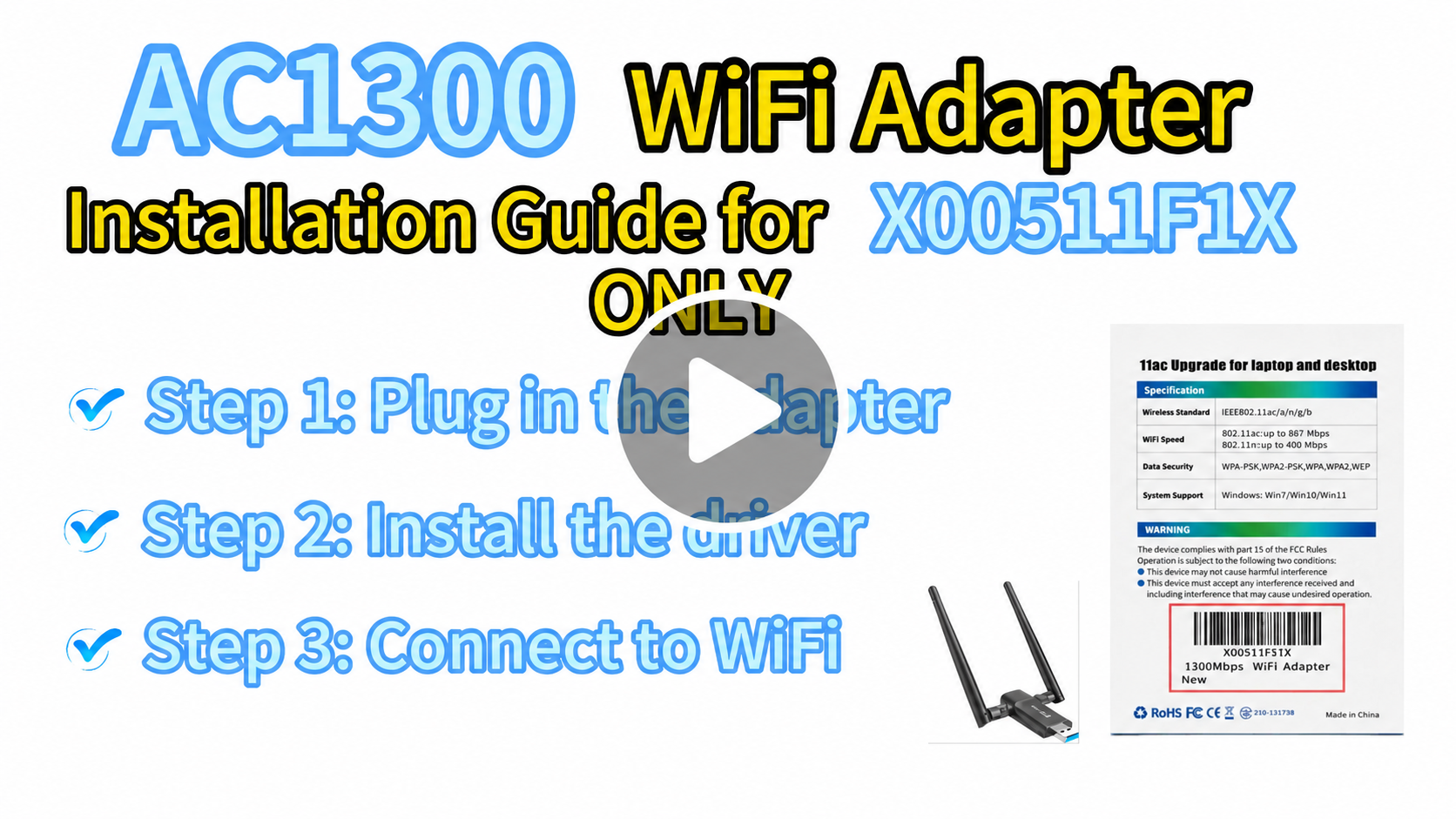
-----------------------------------------------------------------------------------------------------------------------------------------------
Step 1: Plug in the adapter
Insert the WiFi Adapter into a USB port on your computer.
Step 2: Install the driver ( if you need the driver, here is the link http://www.ninepluswifi.com/ac1300driver.zip)
Choose one of the following methods:
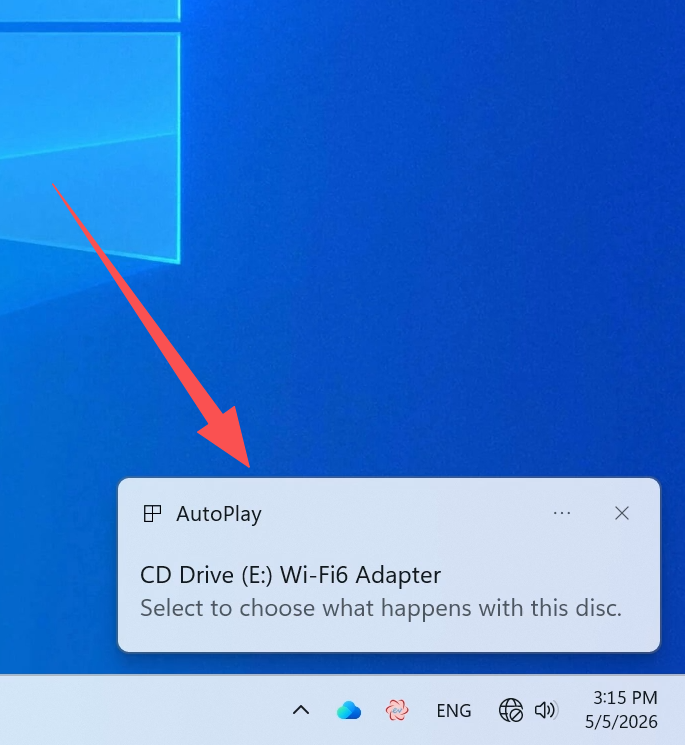
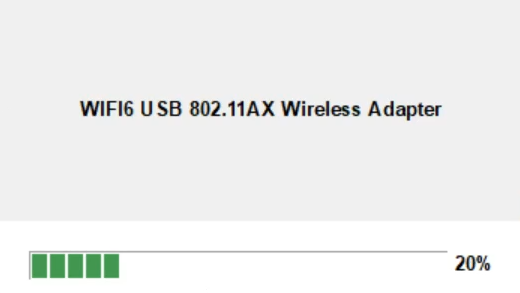
• Method A: After plugging in, wait about 5 seconds. A driver installation pop-up will appear at the bottom right corner of your screen. Click it and follow the prompts to install.
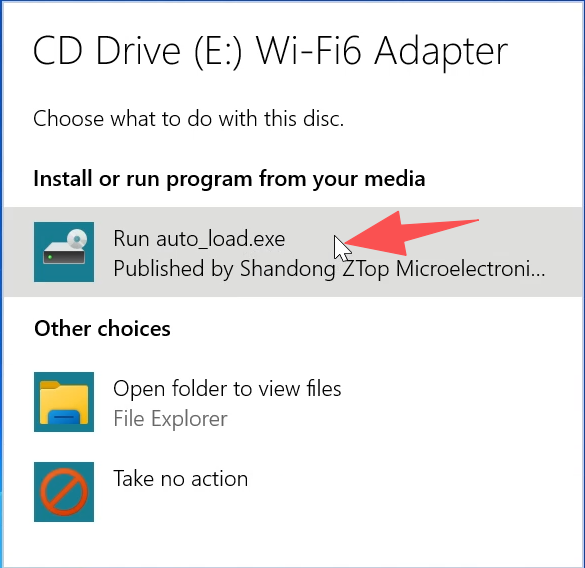
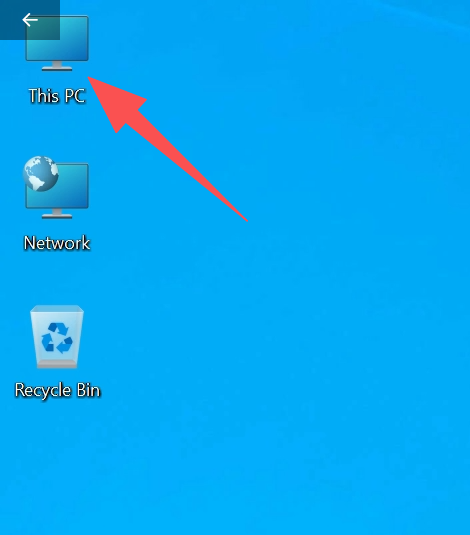
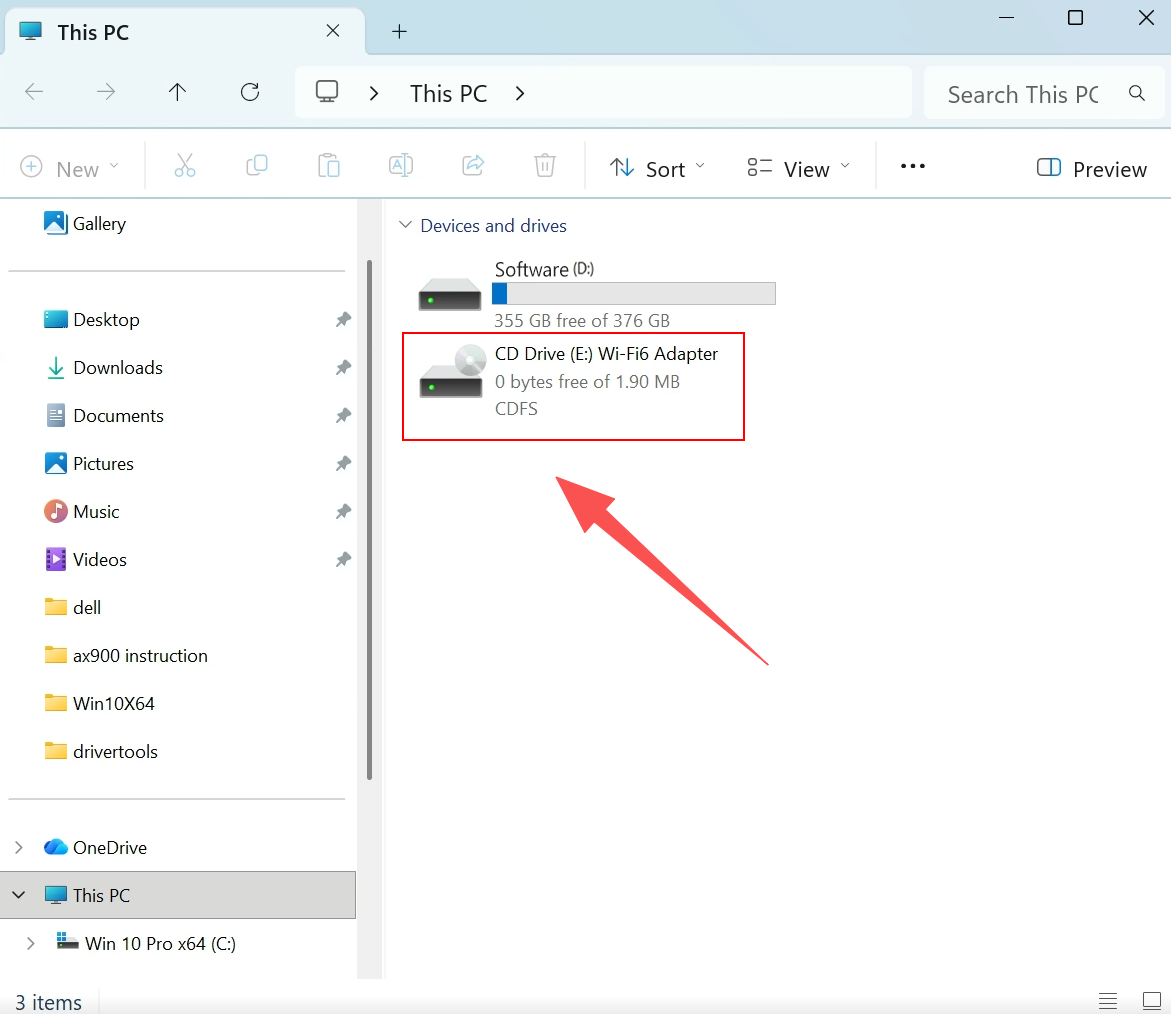
• Method B: Open This PC on your desktop, find CD Drive (E:) Wi-Fi6 Adapter, and double-click it to run the driver installation.
Step 3: Connect to WiFi
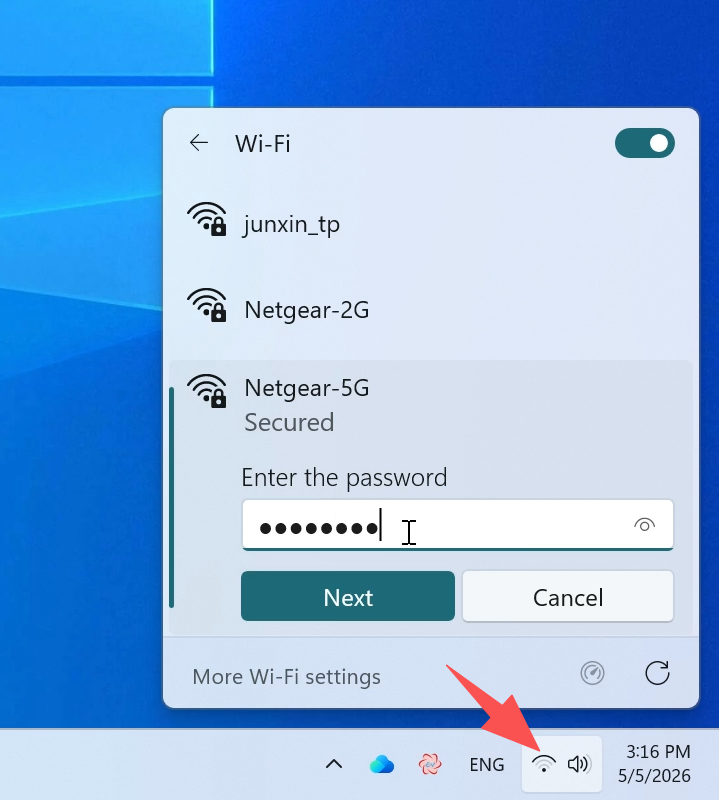
Once the driver is installed, click the WiFi icon at the bottom right corner of your screen. Select your network, enter the password, and click Next to connect.
-----------------------------------------------------------------------------------------------------------
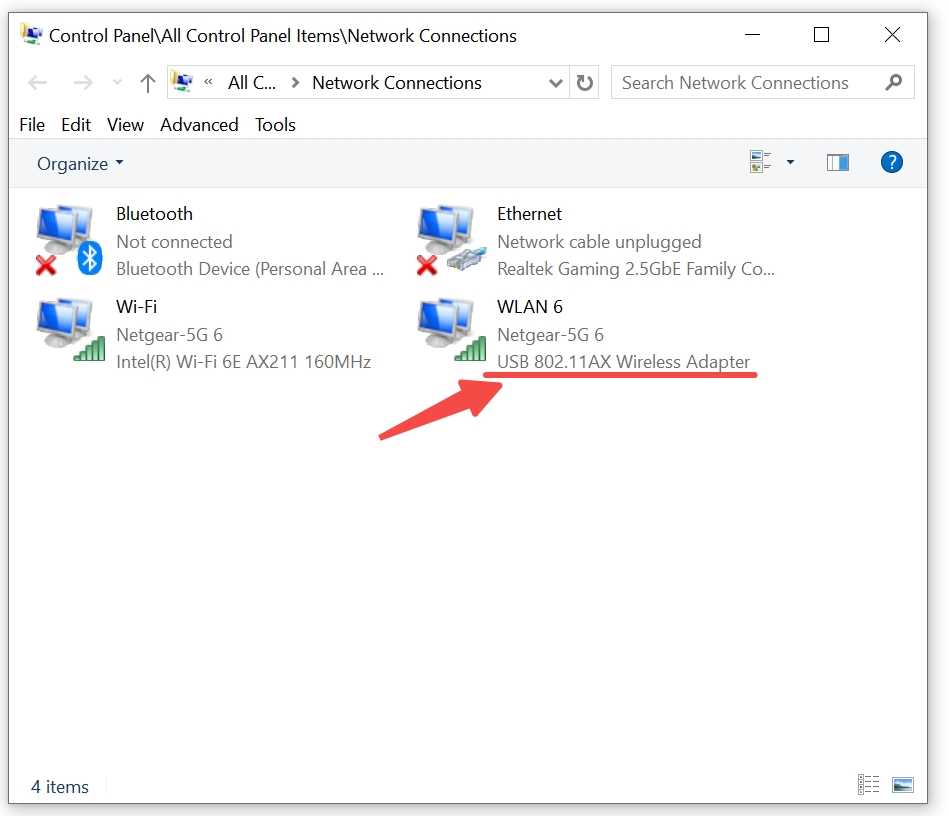
If you don't know if the driver is installed or not, please type view network connection from Search bar and click on it. you will see the hardware named 802.11AX Wireless Adapter, it means driver is installed sucessfully.
How to do online setup for you
Notices :
First it need your computer need access to the internet by Rj45 Lan cable or another wifi
1:Download the online support software :
Online Setup Support
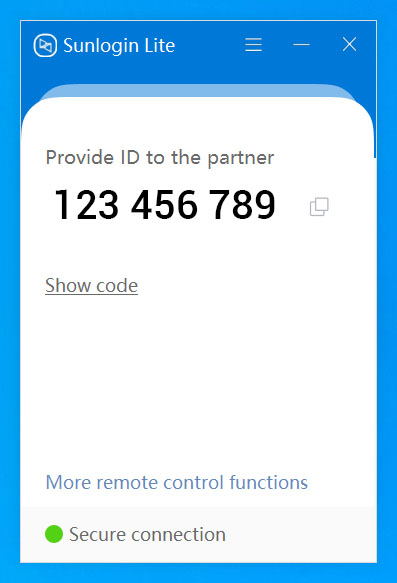
1.Please Download online setup software and install it, Double-click the software.
2.After you Double-click ,The software New ID will come. Please send the software ID to our Email:onebigvip@qq.com
or You send software ID to our website Online Chat on the bottom-right corner(chat with us)
(The below ID is just sample) we will do the online setup for you as soon as possible.
Customer Support


whatsApp Instagram
Email:onebigvip@qq.com
Phone:+1-888-991-1996(Toll Free)
Phone & whatsApp:+1(408)457-4464 (Ayman)
Phone & whatsApp:+1(832)715-3986 (John) WhatsApp:+8613714591620
Phone & whatsApp:+1(281)914-9993(zihan)
Phone:+1-888-991-1996(Toll Free)
Online chat: www.ninepluswifi.com